
Why You Shouldn’t Obtain an Additional ISBN for Draft2Digital
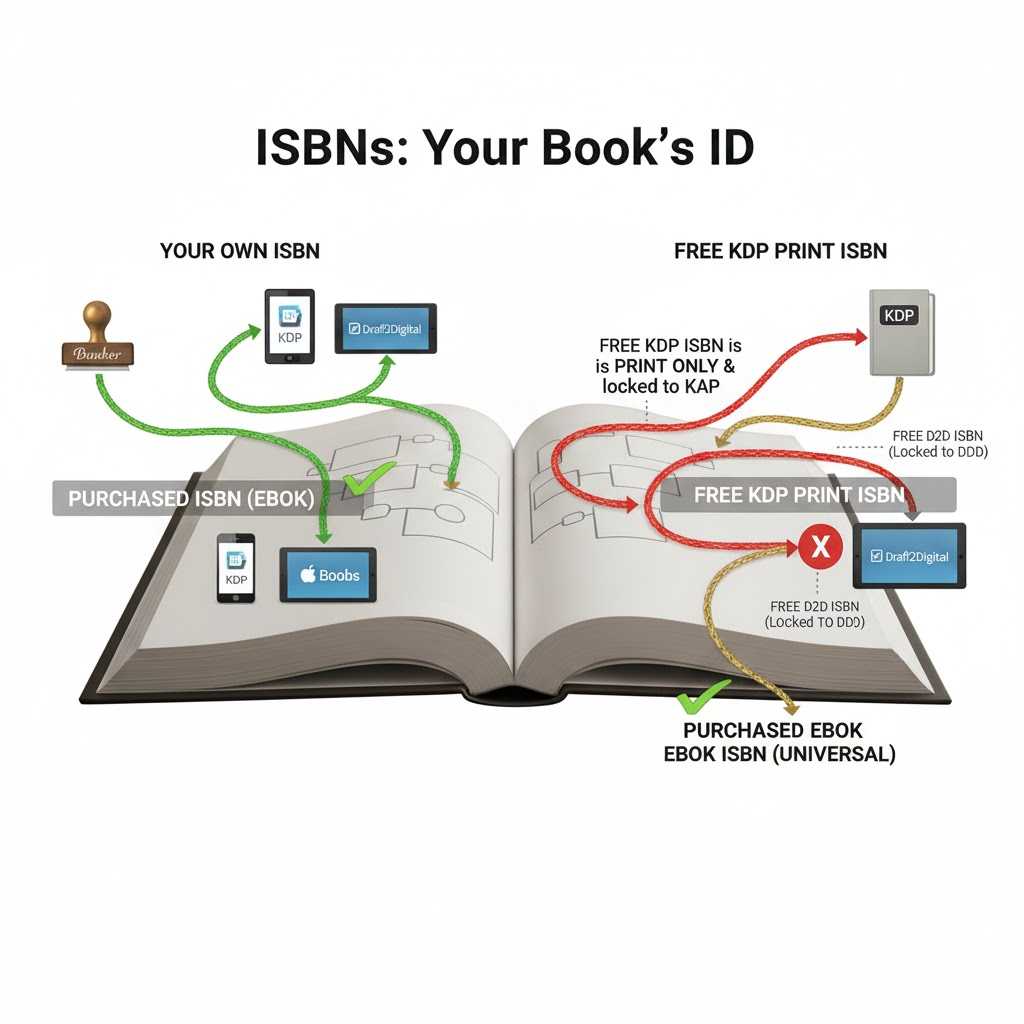
The primary reason you shouldn’t obtain an additional ISBN for Draft2Digital (D2D) is if you have already purchased your own ISBN (e.g., from Bowker) and used it for your eBook on KDP.
Here’s a breakdown of the scenarios and why this matters.
Scenario 1: You Purchased Your Own ISBN (The “You are the Publisher” Model)
If you purchased your own ISBN and used it for your eBook on KDP, you should absolutely use the same ISBN on Draft2Digital.
- Why? An ISBN is tied to a specific format (ebook, paperback, hardcover), not to a specific retailer.
- Your Ebook ISBN: Think of your purchased ebook’s ISBN as your book’s universal ID for its digital ePub version. You should use this one ebook ISBN everywhere you sell that ePub—on KDP, D2D, Kobo, Apple Books, etc.
- Benefit: This consolidates your book’s identity. It makes you the clear publisher of record and ensures that sales and listings from all stores can be tracked back to one single identifier.
- In this case, getting a new ISBN for D2D would be a mistake. It would create a duplicate and competing listing for the same product, which can confuse retailers and fragment your sales data.
Scenario 2: You Used a Free ISBN from KDP
This is the most common point of confusion. If you clicked the “Get a free KDP ISBN” button during setup, that ISBN comes with very specific restrictions.
- It’s for Print Only: KDP only offers free ISBNs for paperback and hardcover books. Ebooks on KDP do not require an ISBN (Amazon assigns them an ASIN, which is an internal tracking number).
- It’s locked to KDP: A free KDP ISBN can only be used on KDP’s platform. It cannot be transferred or used with any other retailer or distributor, including Draft2Digital or IngramSpark.
- The “Publisher” is KDP: When you use a free KDP ISBN, the publisher of record is listed as “Independently published” via KDP.
If this is your situation: You cannot use that free KDP print ISBN for your ebook on Draft2Digital. It’s for the wrong format (print vs. ebook) and is contractually locked to KDP.
So, what should you do for Draft2Digital?
Based on the scenarios above:
- If you have a purchased eBook ISBN, use the same ISBN on Draft2Digital. Do not get a new one.
- If you only have a free KDP print ISBN (or no ebook ISBN at all): You will need an ISBN to distribute your ebook through D2D (as some of their partner stores require it). You have two choices:
- Get a free ISBN from Draft2Digital: This is the simple, no-cost option. D2D will provide an ISBN for your ebook, but like KDP’s free option, this ISBN can only be used for distribution through D2Digital. You couldn’t take it and use it elsewhere.
- Purchase your own ISBN: This is the best long-term strategy. You can buy a single ISBN (or a block of 10) from your country’s official ISBN agency (like Bowker in the US). You would then use this one purchased ebook ISBN for KDP, D2D, and everywhere else you sell your ebook.